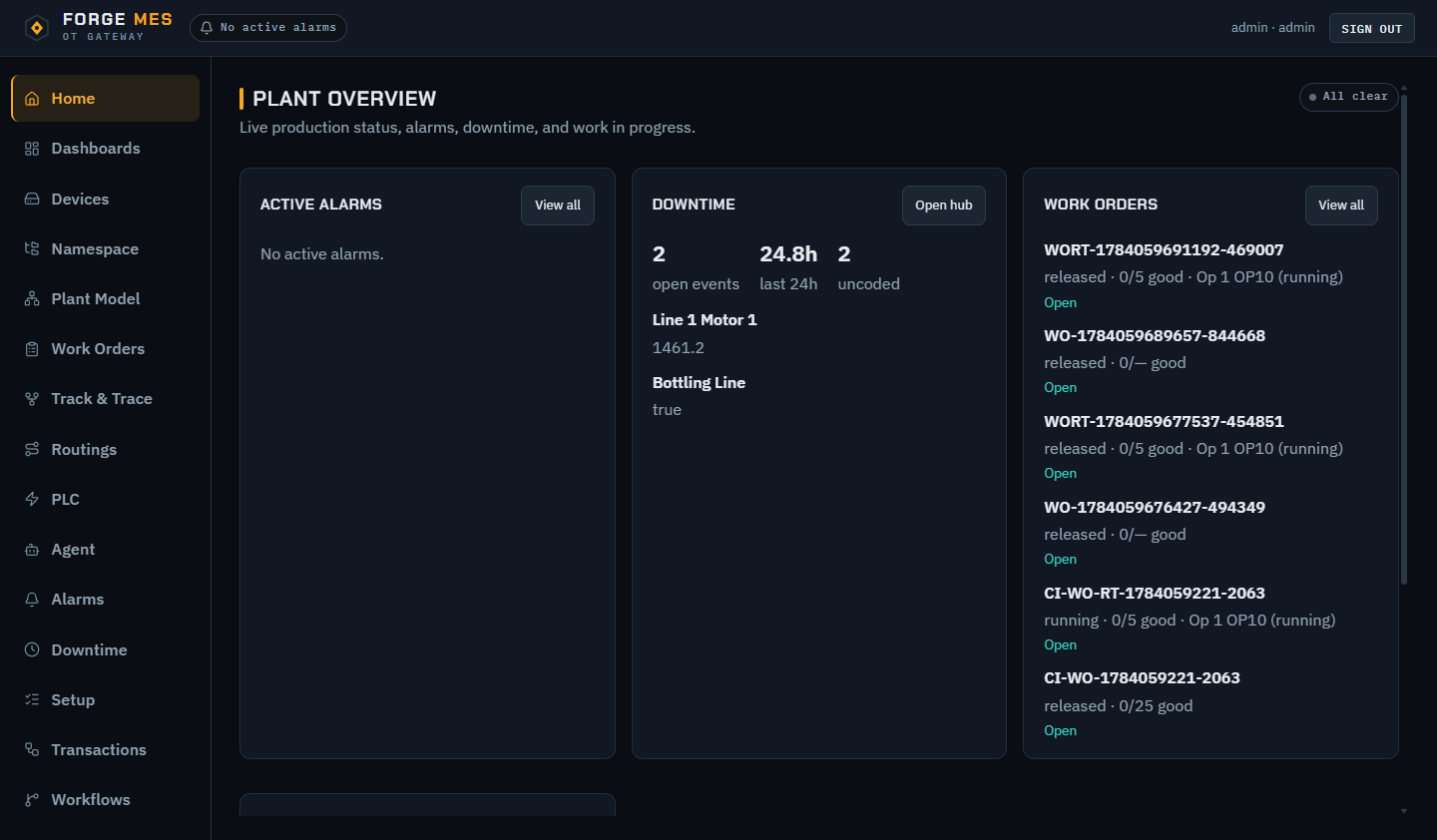
From PLC bit to production decision.

Forge unifies live machine data, production execution, and PLC context in one plant-owned gateway, so operators can act now and engineers can see why.

  • OPC-UA
  • MQTT
  • Sparkplug B
  • Modbus TCP
  • TCP stream
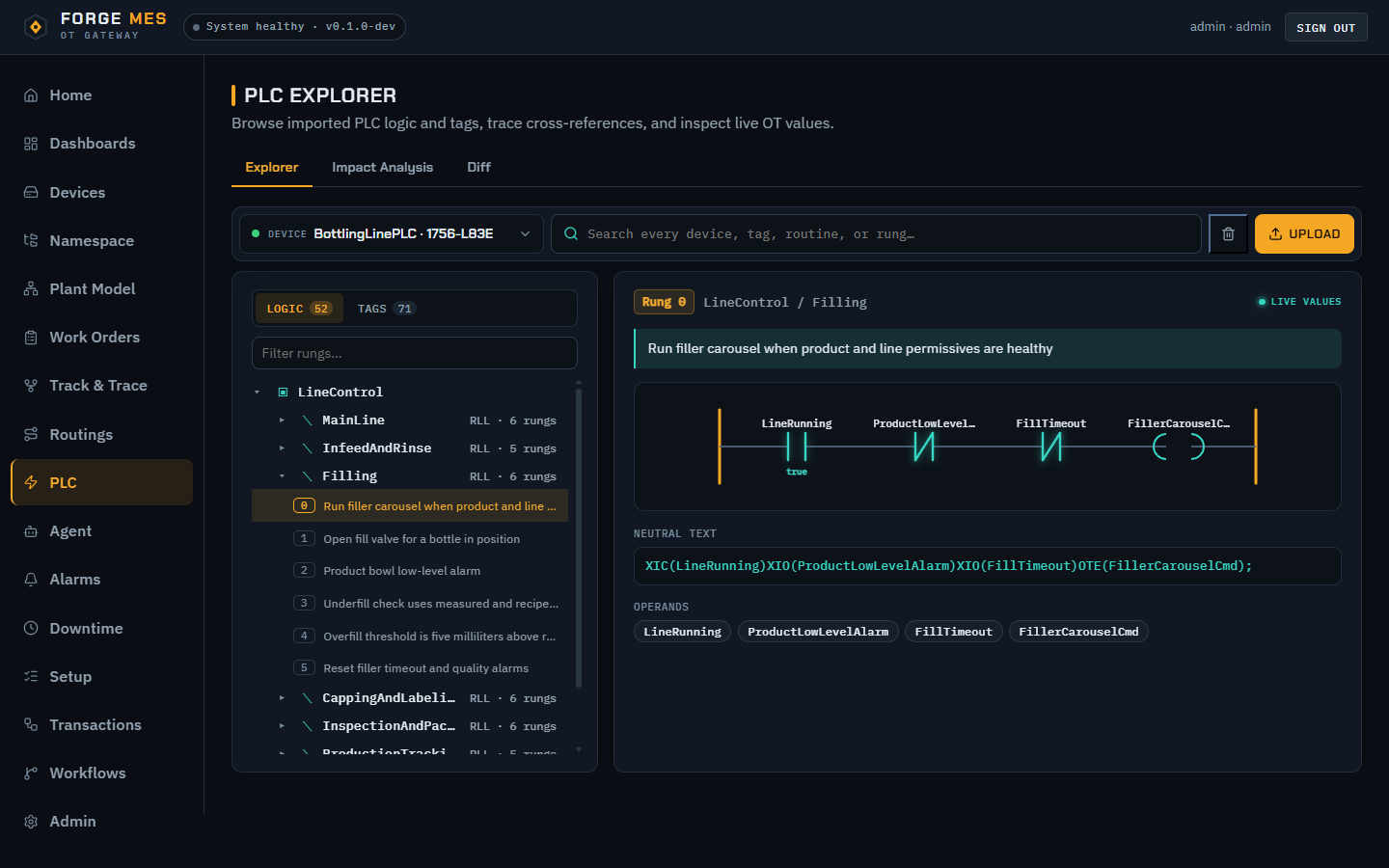
Forge PLC Explorer showing a ladder logic rung that rejects bottles below minimum fill height
PLC Explorer: browse routines, inspect ladder logic, and see live rung values from an imported Rockwell L5X program.

The context between control and business systems

Forge turns raw automation data into work orders, losses, genealogy, alarms, and decisions without hiding the PLC logic underneath.

CONTROL PLCs + devices Signals · logic · state
LIVE TAGS
FORGE Plant context Model · historian · rules
EXECUTION
OPERATIONS People + systems Operators · ERP · workflows

Run the shift with the full production story

Execution, performance, and traceability are built on the same live plant model, not stitched together after the fact.

01
Execute

Work orders + routings

Move planned work through operation-level start, complete, skip, and rework steps with released routing versions.

  • Work-order lifecycle and operation dispatch
  • ERP sync mappings and opt-in completion write-back
  • Automatic production counts from bound tags
02
Measure

OEE that explains the loss

Track availability, performance, and quality live or by shift, hour, and day, with comparisons and loss Pareto.

A / P / QShift compareLoss Pareto
03
Respond

Downtime + alarms

Auto-detect stops from equipment status, capture reason codes, and manage alarm acknowledge, shelving, notes, and routing.

Auto-detectionReason codesNotifications
04
Trace

Lots, materials + genealogy

Issue input and output lots, backflush BOM materials, reserve quantities, and walk bounded multi-level genealogy. Unit serialization is not included.

05
See

Build the view your team needs

Create a custom dashboard in the browser: add a panel, bind it to plant tags, then drag and resize it into place. No code or separate visualization server required.

Time seriesGaugeStatBarPieRibbon
06
Model + automate

ISA-95 plant graph + workflows

Bind tags to typed plant assets, sync external databases, and orchestrate trigger-driven DAG workflows across plant events.

Plant hierarchyExtDBTransactionsWebhooks

The logic behind production, searchable

Connect the running process, inspect Rockwell L5X source, and carry controls context directly into troubleshooting.

Forge PLC Explorer displaying a live BottlingLinePLC ladder logic rung
Actual PLC Explorer view: browse routines, inspect ladder logic, and see live rung values from an imported Rockwell L5X program.
CONNECT

Multi-protocol OT gateway

Browse and subscribe through OPC-UA, MQTT/Sparkplug B, Modbus TCP, and JSON-line TCP streams.

ORGANIZE

Live namespace + historian

Adopt tags into an ISA-95 path tree, match PLC cross-references, stream live values, and retain time-series history.

UNDERSTAND

Read-only Rockwell L5X analysis

Inspect uploaded versions, search routines and rungs, find where tags are used, compare diffs, and trace downstream impact, without PLC authoring or download.

ACT WITH CONTROL

OT point writes, workflows + optional Agent

Gate authorized OPC-UA and Modbus point writes behind explicit permissions. The optional Agent uses a cloud provider only when configured.

Your core operation stays on your network

Forge is a single-plant, Docker-first stack with explicit boundaries for identity, data, automation, and AI.

On-prem core

Historian, alarms, dashboards, production execution, and workflows run without a SaaS dependency.

Role-aware access

Viewer, operator, engineer, configurator, and admin roles keep plant actions appropriately scoped.

Enterprise identity

JWT sessions are built in, with OIDC and LDAP available when configured.

Optional AI boundary

Cloud LLM access requires explicit configuration. Sites can leave Agent disabled entirely.

Operational readiness

Backup, restore, upgrade, incident, and deployment runbooks are included.

Auditable operations

Audit logs, system health, gateway logs, retention policy, and encrypted credentials support plant administration.

Early release testing

Forge is in early release testing. The full version is coming soon.

Free local evaluation

Run the current release on your own hardware while Forge is in early release testing. Licensing and pricing will be announced with the full version.

Get the evaluation build
Follow the release

Send a quick email and we will let you know when the full version is available.

Where Forge is today, and where it is going

Planned items are subject to change during early release testing.

Available in the current release

  • Multi-protocol OT gateway with live namespace and historian
  • Work orders, routings, OEE, downtime, and lot traceability
  • Custom dashboard builder and operator views
  • Read-only Rockwell L5X analysis and cross-referencing
  • Roles, audit logs, backup and restore runbooks

Planned for the full release

  • Commercial licensing and published pricing
  • Production support policy and defined upgrade path
  • Hardened deployment guidance for plant networks
  • Continued expansion of integrations and connectors
Download the current build

Common questions

Where does Forge run?

Forge is a Docker-first stack that runs on your own hardware inside your plant network. There is no hosted SaaS dependency for the core system.

What does it connect to?

OPC-UA, MQTT and Sparkplug B, Modbus TCP, and JSON-line TCP streams. Rockwell L5X programs can be uploaded for read-only analysis.

Can Forge write to my PLCs?

Only if you allow it. OPC-UA and Modbus point writes are gated behind explicit per-point permissions and role-based access, and the system is read-only by default.

Does the AI Agent send my data to the cloud?

The Agent is optional and disabled until configured. Cloud LLM access requires explicit setup, and sites can leave it off entirely or use a local provider.

How do I try it?

Download a tagged release from GitHub, verify the published checksum, and follow the local quickstart to run the stack with Docker.

Evaluate Forge on your own machine.

Download a tagged release, verify its published checksum, and run the Docker-first stack locally. The public demo is not a hosted SaaS sandbox or a production deployment.

Runtime

Docker Engine 24+ with Compose v2, or Podman with a working Compose provider. Linux containers required.

Resources

Plan for at least 4 vCPU and 8 GB RAM for an evaluation.

Platforms

Linux x86_64 and ARM64, Windows x86_64 with Docker Desktop on WSL 2, and macOS on Apple Silicon.

Network

The setup wizard defaults to port 80 and can select another available port.